Find the part your city needs.
Choose a purpose or framework to narrow the records. Each section explains what to compare, from the daily work of a job to the room layout of a new interior.
Categories
 9 scripts
FiveM Cars
Compare civilian collections, patrol fleets and vehicle resources by their role in your city. Check included models, equipment options and setup requirements.
 47 scripts
Free Scripts
Explore no-cost FiveM resources for staff tools, player activities and interface changes. Read the requirements and try the complete workflow on a test server.
 9 scripts
EMS & Hospitals
Compare medical terminals, treatment activities and hospital interiors for FiveM. Identify which part of an EMS shift each resource adds to your existing setup.
 9 scripts
Gang Turf & Hideouts
Plan a FiveM faction around its meeting place and territory activity. Compare hideout maps with gang systems, and check what each package contributes to play.
 10 scripts
Police Station MLOs
Plan a FiveM department around its station layout. Compare public access, custody rooms and staff areas, then connect the chosen MLO to your police resources.
 105 scripts
FiveM MLOs
Choose FiveM interiors by location and purpose: public buildings, workplaces, homes or faction bases. Compare room layouts and check for existing map conflicts.
 35 scripts
Jobs Scripts
Find FiveM jobs by their working loop: prepare, serve, deliver, repair or manage. Compare player duties, business controls and dependencies on each listing.
 6 scripts
Readymade Servers
Review ready-made FiveM server bases by framework and included systems. Compare the package record, identify setup work and plan a private test before launch.
Start with your running framework
Use the framework shelves to find candidates, then check the supported version and dependencies on each product record. Standalone resources may still need libraries, configuration or a particular game build.
ESX Scripts
Find additions for an ESX city by the job they need to do. Compare activities, staff tools and vehicle systems, then check each resource against your setup.
Browse →QBCore Scripts
Choose a QBCore resource for the role your server needs: staff tools, player jobs, vehicle management or progression. Review requirements on each record.
Browse →Qbox Scripts
Review Qbox-listed scripts with your current core, inventory and interaction resources in mind. Find the next gameplay addition and check its integration route.
Browse →Bestsellers in every category



Browse FiveM scripts by category
Every FiveM server starts as a framework choice (QBCore, ESX, Qbox) and grows outward from a set of core systems: inventory, phone, HUD, police, EMS, vehicles. Our category system mirrors that mental model so you can shop the way you build.
FiveM jobs & professions
Police MDTs, EMS systems, mechanic shops, taxi scripts and civilian jobs. The “Jobs” category covers everything that gives players a reason to log in on a Tuesday night.
Heists & criminal roleplay
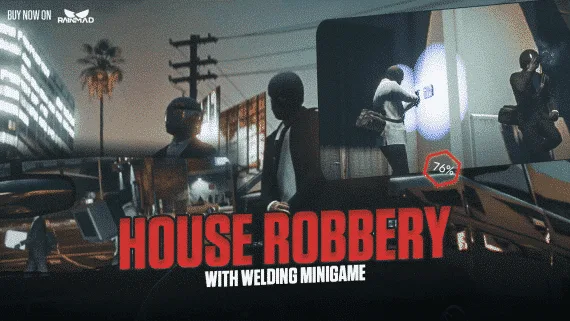
Bank heists, store robberies, drug economies and underground markets. The “Heists” category bundles everything where the progression is criminal activity.
FiveM vehicles
Dealerships, garages, tuning, keys and handling. If you want players to care about their cars, the vehicle category is where to invest.
UI, HUD and inventory
Clean NUI components are what makes a FiveM server feel premium. HUD overlays, phones, inventories, radial menus — the “UI” category is where polish lives.
MLOs, maps and interiors
Custom buildings and interiors from our in-house mapping team. Every MLO ships with YMAP and YTYP files, portal-tested LOD settings, and memory profiles under 120MB for shared servers.
Weapons & crafting
Weapon packs, crafting systems, attachment wheels and durability mechanics. Our weapons category focuses on script behavior over asset count.