


Premium FiveM MLOs and Custom Interiors
MLOs are custom interior map loads that replace or extend GTA V's stock buildings with fully modelled, server-ready spaces for roleplay. Every map here is YMAP/YTYP-packaged and framework-agnostic, so the same file streams identically on QBCore, ESX, and Qbox while you wire the rooms into your own jobs, housing, and dispatch scripts.
Scripts in this category
105 productsA stock GTA V interior gives you four walls and a locked door. An MLO gives you a police station with a booking desk, cell block, evidence room, and a working armoury, or a mechanic shop with lift bays, parts shelves, and a customer counter kept separate from the work zone. The map is the first thing players notice when they spawn into your city and the last thing they forget, which is why serious servers spend as much on interiors as they do on scripts.
Geometry is only half of it. A properly built MLO ships with collisions so nobody falls through the floor, baked lighting that holds framerate after dark, LOD models so the shell reads cleanly from across the street, and clean YMAP placement that sits over the vanilla world without z-fighting. The stronger releases also document door hashes and interior interaction points, so the map lines up with the doorlock and job scripts you already run instead of forcing a weekend of manual coordinate grabbing.
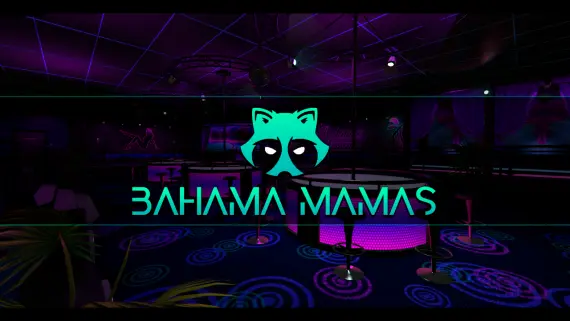
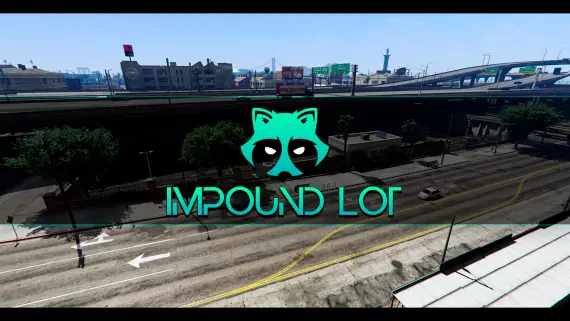
This category collects 105 maps covering the spaces a roleplay city actually uses. You will find police departments, hospitals, fire stations, courthouses, and gang hideouts alongside commercial builds like the Gabz Hayes Auto mechanic shop, the Import Garage tuner workshop, and the Impound Lot vehicle yard. Whether you are launching a new serious-RP server or swapping out a tired stock interior, these are drop-in builds that hold up under real player load.
What to look for in FiveM MLOs
- Resmon under load: a clean interior should sit near 0.00ms idle and stay low with players inside. Check that the creator stripped unused props and baked the lighting rather than leaving live scene lights.
- Collisions and navmesh: players should never clip through walls or snag on door frames, and navmesh matters if you want peds pathing correctly inside the interior.
- Documented door data: ready-to-paste door hashes and coordinates for ox_doorlock, qb-doorlock, or your framework's equivalent. This is the single biggest time-sink when a readme leaves it out.
- Exterior shell and LODs: the building has to look right from a distance, not just from inside. Missing LODs are the giveaway of a rushed port.
- Stream-ready structure: a tidy
stream/folder, no leftover dev props, and anfxmanifest.luathat does not pull in junk.
Layout deserves as much attention as the polygon budget. A police MLO needs a logical flow from booking through cells to interview rooms. A hospital needs triage, treatment bays, and a morgue that EMS scripts can hook into. A mechanic build like Hayes Auto needs lift bays set at the right height for your vehicle scripts. Maps designed around how the room is played age far better than ones that only look good in a screenshot.
Compatibility & installation
Almost every MLO here is framework-agnostic at the map level. It streams geometry, collisions, and YMAPs, so the same file behaves identically on QBCore, ESX, Qbox, or a standalone build. The framework only enters once you wire job logic, door locks, and interaction points to the rooms, and most creators hand you door coordinates in the readme as configs you can paste straight into a doorlock resource.
Installation follows the standard FiveM flow. Drop the resource into resources/[mlo]/, add ensure <resource-name> to your server.cfg, and restart. When a map replaces a stock interior, common for police, hospital, and Burger Shot variants, confirm no other resource streams the same YMAP, since duplicate streams are the usual cause of flickering geometry and invisible walls. For shells and standalone buildings you are typically given teleport coordinates to set up entry markers in your housing or job script.
Why buy from us
Every MLO listed here comes from the original creator or an authorised reseller, with the full source files, props, textures, and readme included, not a stripped leak missing its collisions and LODs. You get the version that streams cleanly, the documentation to wire it into your framework, and update access when the creator ships a fix. That is the difference between a map that launches your city and a download that eats a weekend.
Frequently asked questions
What is a FiveM MLO?
An MLO is a custom interior map load that replaces or extends one of GTA V's stock buildings with a fully modelled, server-ready space. Instead of an empty shell, you get modelled rooms, props, collisions, and lighting built for roleplay, like a police station with cells or a mechanic shop with lift bays.
Do these MLOs work with QBCore, ESX, and Qbox?
Yes. At the map level an MLO just streams geometry, collisions, and YMAPs, so the same file behaves identically across QBCore, ESX, Qbox, and standalone servers. Your framework only matters when you connect job logic, door locks, and interaction points to the rooms inside.
How do I install an MLO?
Drop the resource into your resources/[mlo]/ folder, add ensure <resource-name> to server.cfg, and restart the server. For shells and standalone buildings you usually set entry markers using the teleport coordinates provided in the readme.
Will an MLO hurt my server FPS or resmon?
A well-built interior should sit near 0.00ms idle and stay low even with players inside. Framerate problems come from unbaked lighting, unused hero props, and missing LODs, so check the resmon numbers and file structure before you buy. Every map in this category is chosen for clean optimisation.
Do the MLOs include door lock support?
Most releases document the door hashes and coordinates in the readme, ready to paste into ox_doorlock, qb-doorlock, or your framework's equivalent. That saves you from grabbing hashes by hand, which is the biggest time-sink when a map ships without door data.
What happens if an MLO replaces a stock interior?
Police, hospital, and Burger Shot variants often overwrite a vanilla YMAP, so you must confirm no other resource streams the same one. Duplicate streams are the usual cause of flickering geometry and invisible walls. Disable the conflicting map or older MLO and the interior will render correctly.